
Groovepad - Music Maker
EasybrainMusic & Audio
4.698.34K Reviews
- Version
- 1.27.0
- Installs
- 100.00M
- Age Rating
- Everyone
Screenshots
Our Review of Groovepad - Music Maker
 Analysis by Appyee
I like music apps most when they let me get to an idea before I have time to talk myself out of it. Groovepad - Music Maker is built for that kind of quick start: tap into a set of sounds, bring loops together, and see where the rhythm goes. It is a music-making app from Easybrain, and its appeal is less about learning every detail of production than enjoying the immediate process of arranging sounds with your fingers.
That focus makes it useful in ordinary moments, not just when you sit down intending to become a producer. I can imagine opening it during a commute, while waiting for a friend, or at home when a melody is stuck in my head but I have no instrument nearby. It gives that passing idea somewhere to go. The key question is whether you want a playful sketchpad or a more controlled production environment; this app is much closer to the first.
Finding a musical starting point
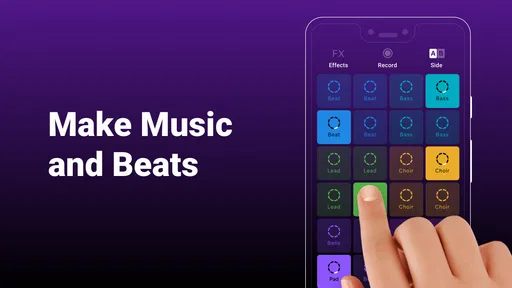
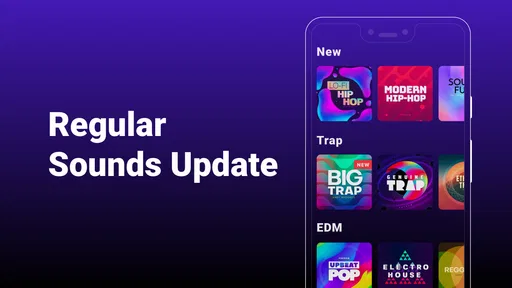
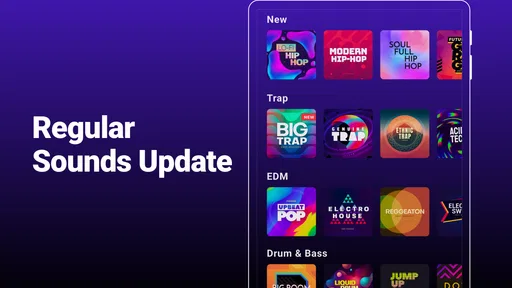
First things first, downloading the app is a breeze. Available on both Android and iOS, Groovepad - Music Maker is just a tap away from transforming your musical dreams into reality. Once you fire it up, the interface is super intuitive. You’re greeted with a vibrant array of sound packs and genres, from hip-hop to EDM, and even some exotic world music vibes.
Now, I’m no pro when it comes to making music, but the app makes it so simple that even a beginner can dive right in. You don’t need any formal music training to start creating catchy tunes. Just pick a sound pack, hit play, and start layering sounds effortlessly.
That low barrier is the strongest reason I would recommend it to a curious beginner. A blank timeline in a traditional digital audio workstation can feel like homework; a grid of playable sounds gives you something to react to immediately. You can test combinations by ear and learn, in a practical way, how a beat changes when another loop joins it. It is a friendly first step for someone who has never arranged music, though it should not be mistaken for a complete course in rhythm, harmony, or production.
A useful way to explore is to treat each sound pack as a small palette rather than trying to make a finished song at once. Start with one loop that establishes the mood, then add only sounds that improve the groove. If several parts compete for attention, remove one and listen again. This simple subtraction is often more effective than filling every available space, and it helps a new user hear how layers affect the overall feel.
Building a loop without losing the groove
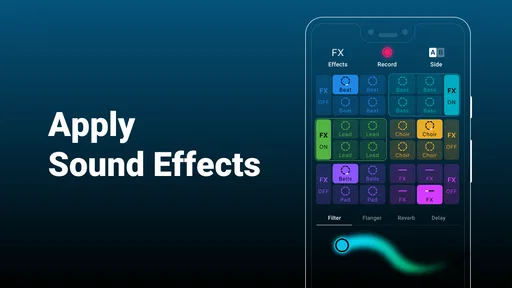
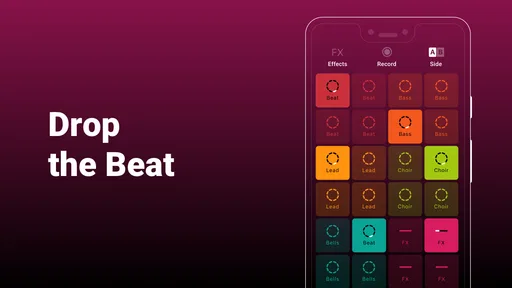
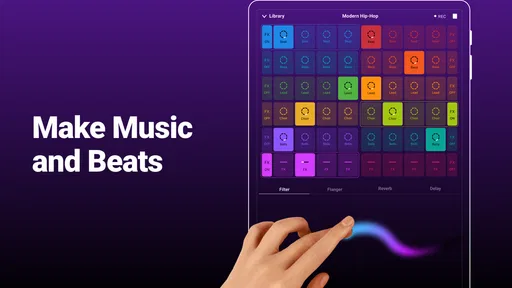
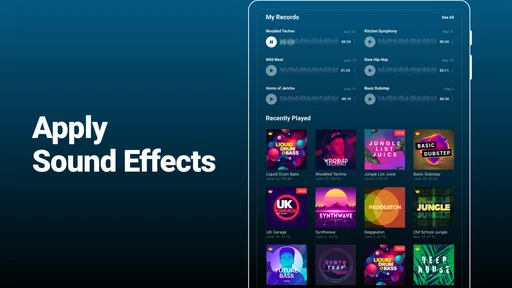
One of the coolest things about Groovepad is its live loop feature. You can mix and match loops in real-time, which is incredibly satisfying. The app allows you to craft a unique sound with just a few taps. And if you’re feeling a bit extra, you can add some effects like reverb and delay to spice things up.
The real-time approach makes experimentation feel immediate: I can bring a sound in, hear how it sits against the others, and change direction without having to plan a whole arrangement first. That is great for playful sessions and for finding a hook. The trade-off is that tapping together an appealing loop does not automatically create a track with a strong beginning, middle, and ending. If you want a carefully composed song with detailed control over every note, a full music workstation will be a better fit.
For a more deliberate workflow, I would build in passes. First establish a basic pulse, then add a contrasting layer, and only after that try effects. Reverb can make a part feel more spacious, but too much can blur the beat; delay can add motion, yet it may distract if the underlying pattern is already busy. Listening after each change makes it easier to tell whether an effect is helping or simply making the mix louder or more crowded.
A realistic use case is making a quick backing idea for a short video or a casual creative project. I would use the app to explore a mood and create a rough musical sketch, then listen back before deciding whether it suits the project. For anything that needs precise timing, a particular duration, or a custom arrangement, I would treat that sketch as inspiration rather than assume it is ready for professional delivery. That distinction keeps expectations sensible while still making the app genuinely useful.
Recording, sharing, and the handoff
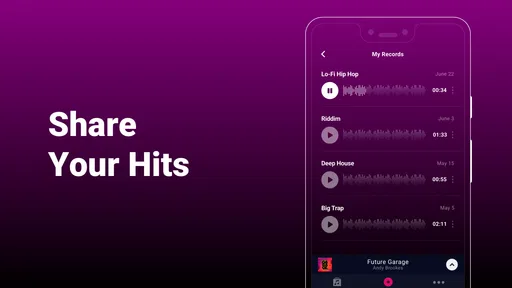
There’s also a neat little feature for recording your creations. Once you’ve put together a masterpiece, you can easily share it with friends or post it online to showcase your musical prowess. Trust me, there’s nothing quite like the satisfaction of listening to a track you made yourself.
Recording gives a spontaneous session a practical next step: you can capture what you have made instead of relying on memory to recreate it. I would save a take once a combination feels promising, then keep experimenting rather than treating the first recording as final. That is a small but useful habit when you are trying variations; it separates exploration from the version you actually want to show someone.
For sharing, the app is best understood as a quick route from an idea to something you can play for another person. If your goal is to send a friend a fun beat or post a casual experiment, that is a natural fit. If you need stems, detailed mixing controls, or a project that another producer can continue editing, choose a more comprehensive production tool. The difference matters: a recording is a listenable result, while a flexible project handoff requires more than a finished audio snapshot.
It is also worth thinking about the listening context. A loop that sounds exciting through headphones may feel different on a phone speaker, where subtle layers can be harder to hear. Before sharing, I would replay the recording at a comfortable volume and check that the main rhythm still comes through. This costs little time and can prevent an effect-heavy idea from becoming muddy outside the moment in which it was created.
What keeps it engaging, and where it can frustrate
If you’re like me and tend to get bored quickly, this app will keep you hooked. There’s a vast library of sound packs to explore, and the app regularly updates with new content. It’s like having a never-ending stream of inspiration flowing through your fingertips.
Plus, the interactive tutorials are a huge help. They guide you through the basics and even teach you some advanced tricks. So, even if you start as a novice, you’ll soon find yourself creating tracks that sound like they came right out of a professional studio.
For me, the best way to avoid getting overwhelmed by choices is to pick one pack for a session and give it a clear purpose: a relaxed background groove, a punchier beat, or an idea to share. Browsing endlessly can be fun, but it can also interrupt the act of making anything. A short session with a constraint encourages better decisions and makes it easier to notice which sounds actually work together.
While Groovepad is pretty fantastic, there’s always room for growth. I noticed that some sound packs require a purchase, which might be a bit of a bummer if you’re on a tight budget. However, the free content is more than enough to get you started and keep you entertained for hours.
Another thing is the occasional ad. They’re not too intrusive, but if you’re in the middle of a creative flow, they can be a bit distracting. Thankfully, there’s an option to remove ads if you’re willing to spend a little.
The free starting point makes it easy to decide whether this style of music-making suits you before spending anything. Paid packs may be tempting when a particular sound catches your ear, but I would first spend time with the available material and learn what kind of loops I actually use. The app is free to download, with in-app purchases listed from $6.99 to $46.99 per item, so it is sensible to check the purchase prompt carefully rather than assume every sound set is included.
Ads and pack purchases are not the only trade-offs to consider. The same immediacy that makes the app approachable can leave experienced creators wanting more control. If you are looking for note-by-note editing, detailed arrangement, or a serious mixing workflow, a conventional mobile DAW is likely the more capable choice. If you mainly want to experiment with combinations of loops without setting up a complicated project, that extra complexity may be unnecessary.
Who I would recommend it to
Groovepad suits beginners, casual beat explorers, and anyone who wants a quick creative distraction that can produce something rhythmic. It can also be a handy way for a more experienced musician to test a broad mood or sketch a simple loop away from their usual setup. Its music-and-audio focus is clear, and the Everyone age rating makes it accessible to a broad audience, though younger users should still have a sensible approach to optional purchases.
I would skip it if your main aim is to record vocals over a carefully structured arrangement, edit every musical detail, or prepare a polished release with a complex production chain. A desktop or mobile workstation is a better choice for those jobs. Likewise, if you prefer learning an instrument by practicing notes and technique, a loop-based app will not replace lessons or an instrument. It is a playful creation tool, not a shortcut to every part of musicianship.
Compared with opening a standard audio recorder, this app gives you more musical material to shape before you capture anything. Compared with a full DAW, it asks much less of you but also gives up fine-grained control. I see that middle ground as its identity: it is more hands-on than simply choosing a backing track, yet less demanding than building a song from individual notes and tracks. Knowing which side of that line you need will tell you whether it belongs on your phone.
Easybrain’s app has a 4.6 average from around 1.7 million ratings, and it has passed 100 million installs. Those figures point to broad appeal, but what matters to me is the actual fit: its simple loop-based approach is rewarding when I want to play with sound right away, not when I need a deep production workspace. The current version is 1.27.0, and it runs on Android 7.0 or later.
A creative tool with a clear purpose
All in all, Groovepad - Music Maker is a delightful app for anyone interested in music creation. It’s accessible, fun, and packed with features that cater to novices and seasoned beatmakers alike. Whether you’re looking to kill some time or seriously dive into the world of music production, Groovepad has got you covered.
So go ahead, give it a shot, and unleash your inner DJ. Who knows? You might just create the next big hit right from your smartphone!
My more grounded expectation is that it can help you make a satisfying loop, discover a sound you like, or give a friend a quick listen to something you made. That is already worthwhile. I would approach it as a pocket-sized playground for musical ideas, keep an eye on optional purchases, and move to a fuller production app only when I start needing the precision this one is not designed to provide.
Verdict
Strengths of Groovepad - Music Maker
- User-friendly interface for beginners.
- Wide variety of sound packs available.
- Real-time music creation and editing.
- High-quality audio output.
- Regular updates with new features.
Limitations of Groovepad - Music Maker
- Limited features in free version.
- In-app purchases can be costly.
- Requires internet for downloading packs.
- Occasional ads interrupt workflow.
- Battery consumption is relatively high.
Other Releases by Easybrain
View All
Art Puzzle - Puzzle Games
Puzzle4.8

Arrow Puzzle: Tap Puzzle Games
Puzzle4.8

Blockudoku®: Block Puzzle Game
Puzzle4.6

Sudoku.com - Sudoku Puzzle
Puzzle4.7
Similar Picks in This Category
View All
YouTube Music
Google LLC4.4

Samsung Music
Samsung Electronics Co., Ltd.3.8

Spotify: Music and Podcasts
Spotify AB4.3

JioSaavn - Music & Podcasts
Saavn Media Limited4.3

Lark Player:Music Player & MP3
Lark Player Studio - Music, MP3 & Video Player4.6

StarMaker: Sing Karaoke Songs
SKYWORK AI PTE. LTD.4.3
Frequently Asked Questions
What is Groovepad - Music Maker, and how does it work?
Groovepad - Music Maker is an intuitive app designed for music enthusiasts who want to create beats and tracks easily. With a library of diverse soundtracks and effects, users can layer loops and samples by tapping on the pad features. It’s suitable for both beginners and experienced users looking to produce music on the go.
Is Groovepad suitable for beginners with no music experience?
Yes, Groovepad is perfect for beginners. The app features a user-friendly interface with guided tutorials to help new users start creating music effortlessly. The simple tap-and-play functionality allows anyone to experiment with rhythm and sounds without requiring prior music theory knowledge.
What are the main features of Groovepad?
Groovepad offers a variety of features including a vast library of sound packs across genres like hip-hop, EDM, and more. Users can access live loops, sound effects, and music tracks to mix and match. The app also provides real-time audio effects and a sharing feature to showcase your creations with others.
Are there any in-app purchases or subscriptions required?
Groovepad is free to download and use, but it offers in-app purchases. These purchases typically include access to premium sound packs and features. Users can opt for a subscription model to unlock all content, which provides an ad-free experience and access to exclusive updates.
Can I save and share my music creations from Groovepad?
Absolutely! Groovepad allows users to save their musical creations directly on their devices. Additionally, the app provides options to share your music via social media platforms or messaging apps, making it easy to showcase your work to friends, family, or a wider audience.
